tw-precision-neo


Modern data management app for FreeStyle Precision Neo / Optium Neo users.
tw-precision-neo is an open-source desktop application developed for users who are frustrated that the official software (FreeStyle Auto-Assist) no longer runs on modern operating systems.
🌟 Key Features
- Modern OS Support: Fully compatible with Apple Silicon (M1/M2/M3) Mac and Windows 11.
- Privacy First: Blood glucose data is never sent to the cloud; it is stored only in a local database (SQLite) on your computer.
- Auto Unit Conversion: Supports both
mg/dL(common in Japan/US) andmmol/L(common internationally). - Interactive Trend Charts: Smooth, zoomable visualizations powered by ECharts.
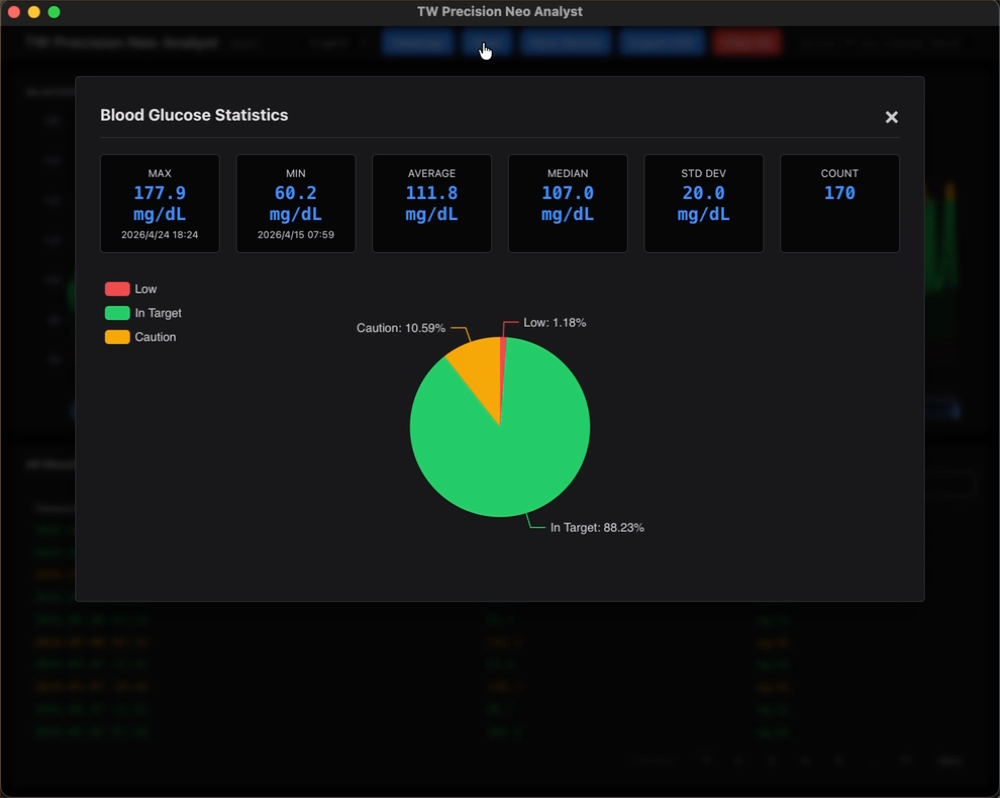
- Clinical Metrics: Automatically calculates Time in Range (TIR) and other management indicators.
- Trusted ‘tw’ Series: A highly transparent project by the developer of the “TWSNMP” network management series.
📱 Supported Devices
- Abbott FreeStyle Precision Neo
- Abbott FreeStyle Optium Neo
🩸 Blood Glucose Classifications
The app categorizes readings based on the following criteria and displays them with corresponding colors:
| Category | mg/dL | mmol/L | Color |
|---|---|---|---|
| Low | < 70 | < 3.9 | Red |
| In Range | 70 - 140 | 3.9 - 7.8 | Green |
| High (Caution) | 141 - 180 | 7.9 - 10.0 | Yellow |
| High | 181 - 250 | 10.1 - 13.9 | Red |
| Very High | > 250 | > 13.9 | Dark Red |
📦 Installation
Download the latest version from the GitHub Releases page.
macOS
Download and run the .pkg installer.
Note: The app is Notarized by Apple and safe to run.
Windows
Download and run the .msi installer, or download the .zip file and extract it to a folder of your choice.
🚀 Usage
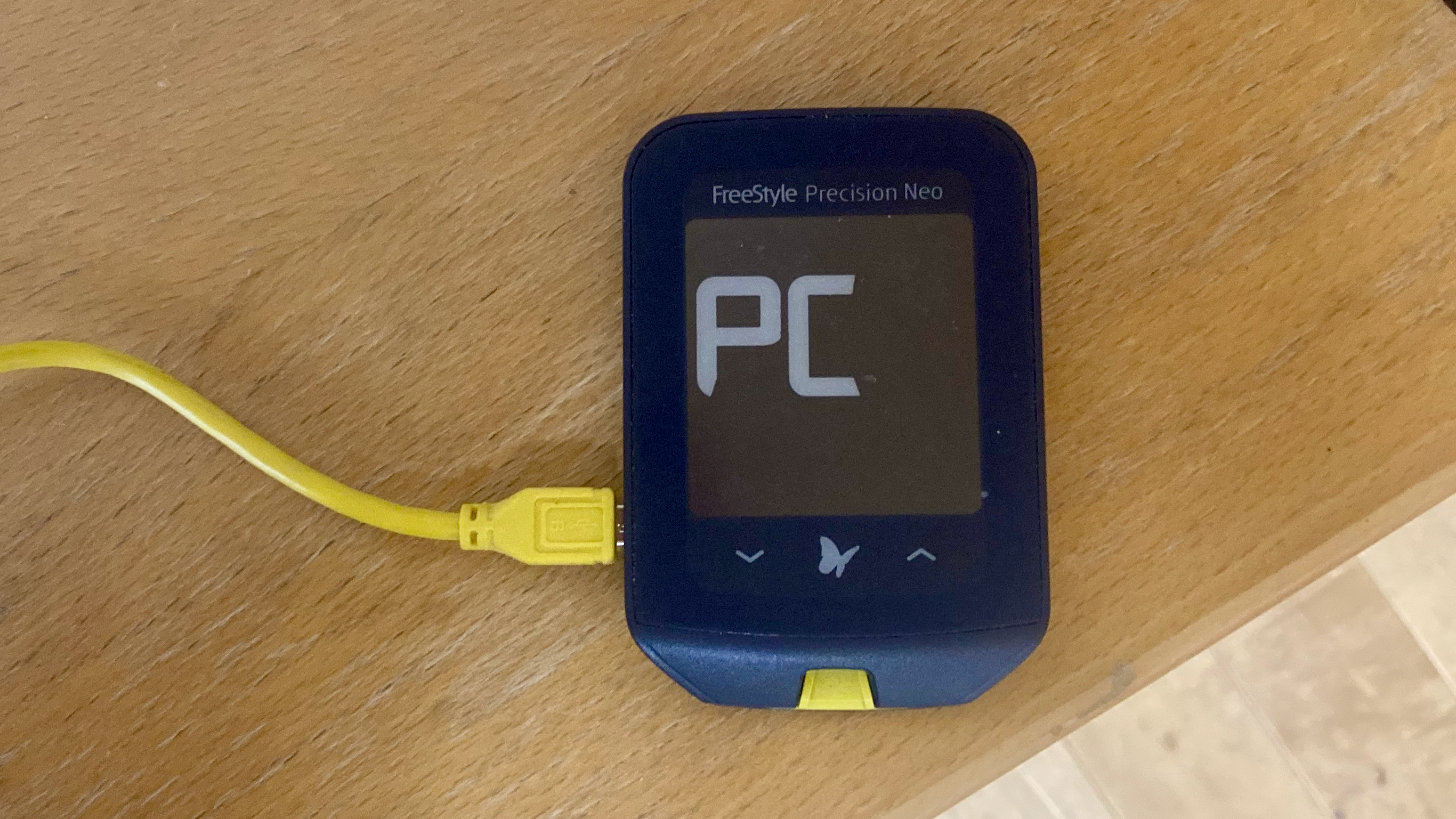
- Connect: Connect your Precision Neo to your PC using a standard Micro-USB cable. Ensure the device screen displays “PC”.
- Sync: Launch the app and click the “Sync Device” button.
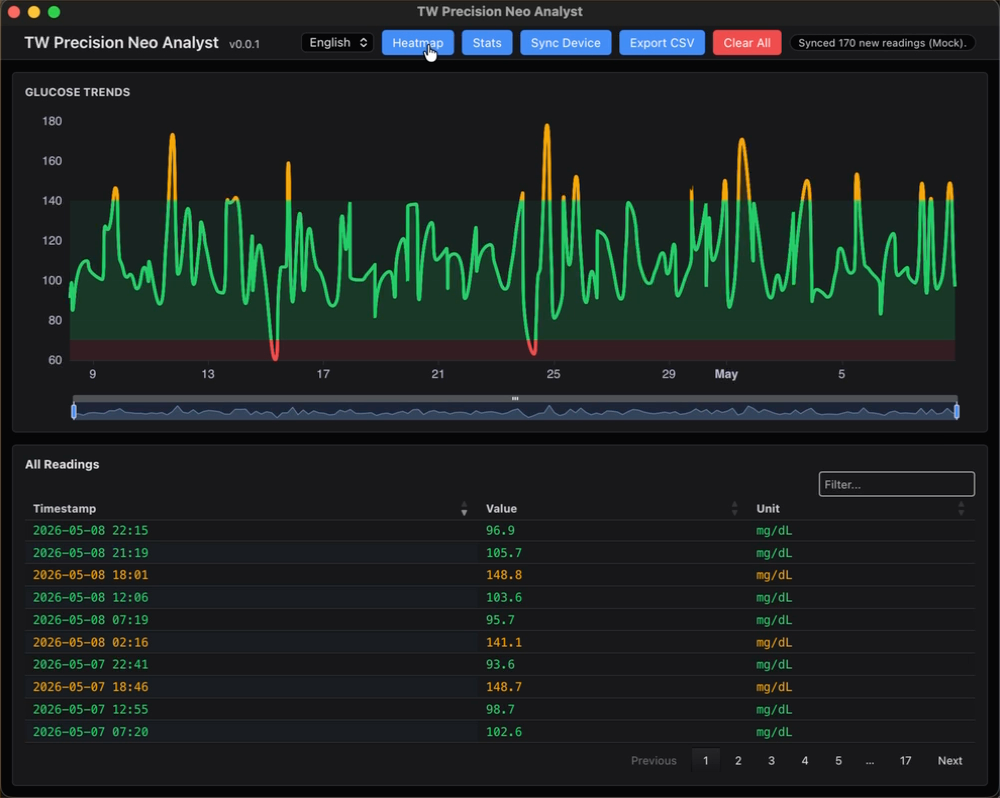
- Analyze: Instantly view your synced data and trend charts.
💾 Data Storage
All data is stored in a local SQLite database on your PC. Files are located at:
- macOS:
~/Library/Application Support/tw_precision_neo/tw_precision_neo.db - Windows:
%LOCALAPPDATA%\tw_precision_neo\tw_precision_neo.db
📸 Demo & Screenshots
Video Demo
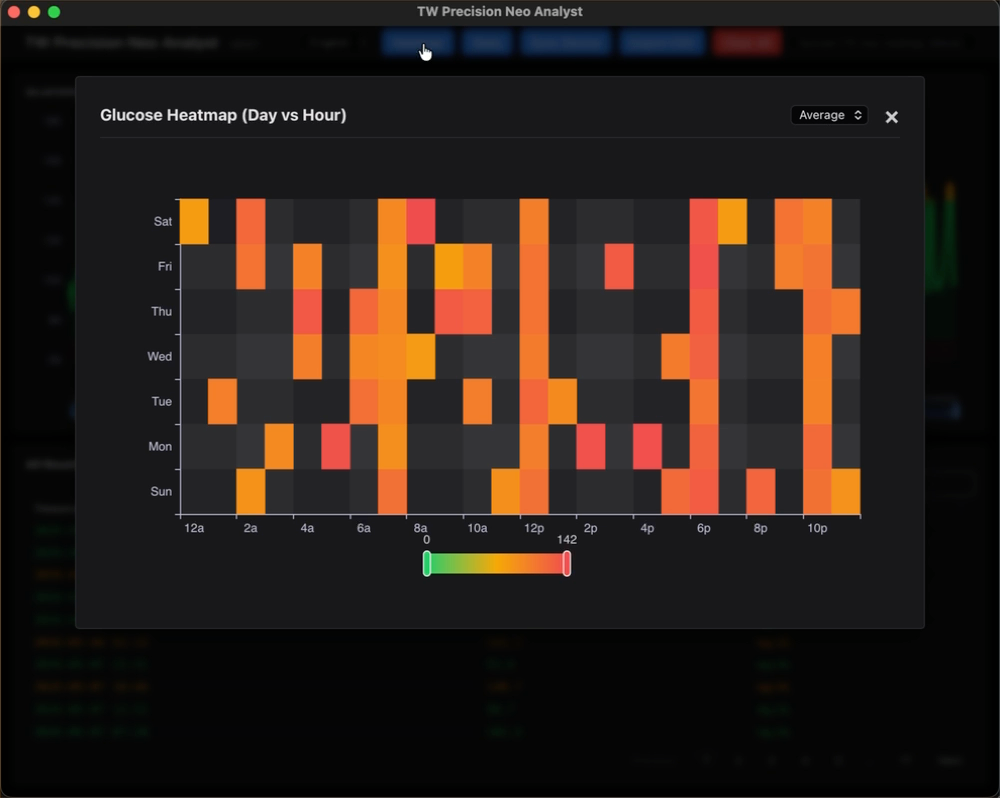
Dashboard & Analytics
| Glucose Trends | Heatmap Analysis |
| :—: | :—: |
|  |
|  |
|
Clinical Statistics
⚠️ Disclaimer
This software is NOT a “Software as a Medical Device” (SaMD). It is intended for personal logging and informational purposes only. Do not use the information provided by this software for medical decisions, such as adjusting insulin doses. Always consult with your physician for medical guidance.
🛠 For Developers
This project is part of the ‘tw’ series maintained by the developer of TWSNMP.
Development Environment Setup
Requires mise:
mise install
mise run setup
Commands
- Run in Dev Mode:
mise run dev - Run Tests:
mise run test - Build (Local Verification):
mise run build
Release & Packaging
- macOS (Signed & Notarized):
Signing is performed locally. If the
DEVELOPER_ID_APPLICATIONenvironment variable is set, it will be used.mise run release-mac - Windows:
Pushing to GitHub triggers GitHub Actions, which automatically builds the
.msiinstaller.
📄 License
Distributed under the Apache License 2.0. See LICENSE for details.